Florist, Samokov
A flower shop in Samokov that now takes orders online.
- 20 yearsbehind the counter in Samokov
- 4.9their rating on Google
- Next daydelivery to Sofia, ordered online
People in Samokov have bought their flowers at Magnolia for twenty years, and now they can order online.
Magnolia runs two flower shops in Samokov, a garden centre, an agro pharmacy and a landscaping crew that works all over Bulgaria. Magnolia has five thousand customers and a 4.9 rating on Google.
The owner wanted customers to be able to order from their phones whenever they liked. So we started in the shop, with the people who run it.
- Client
- Magnolia, Samokov
- Trading since
- 2005
- Scope
- Storefront, checkout, admin panel
- Stack
- Next.js, Prisma, Neon, myPOS

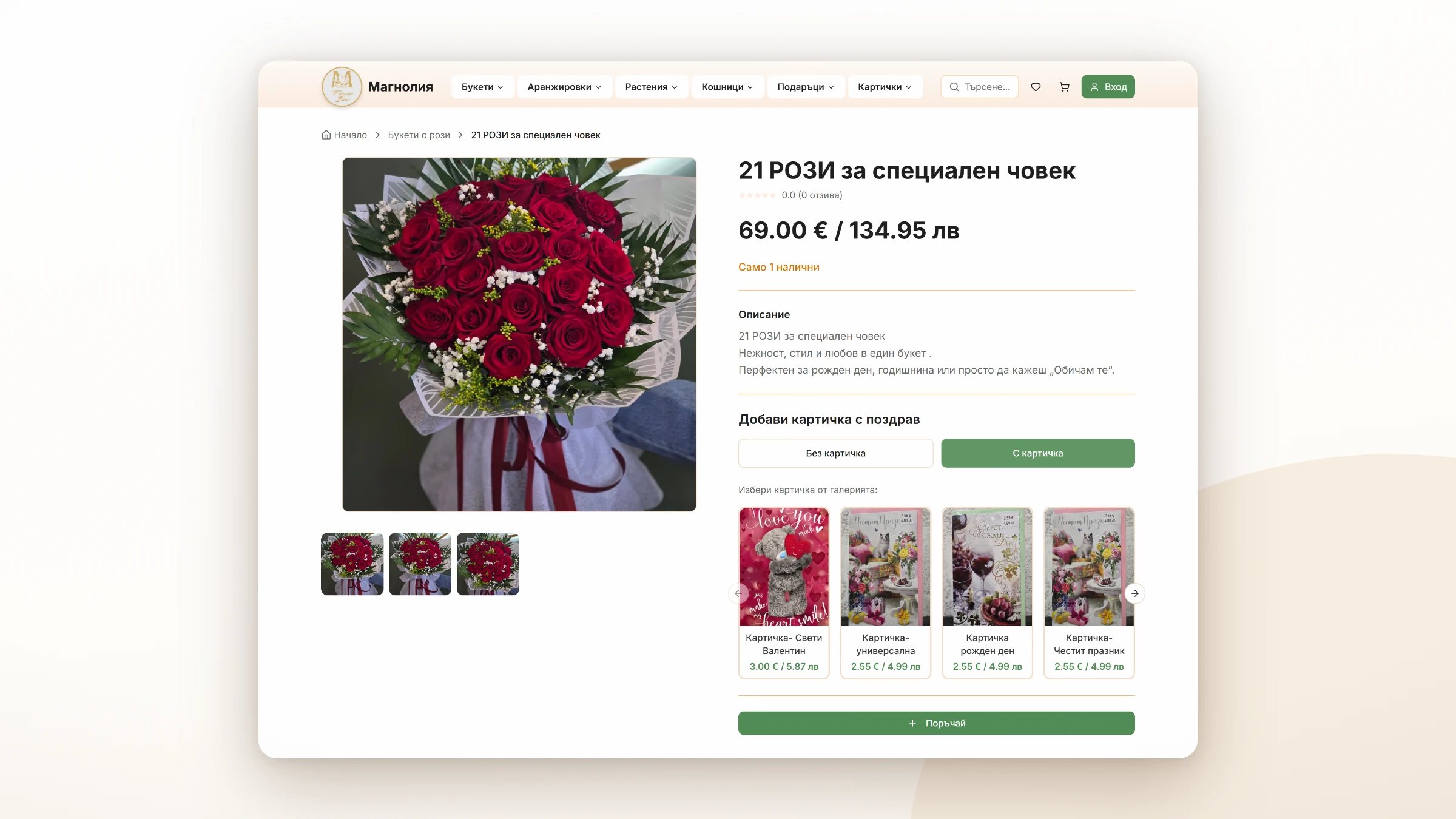
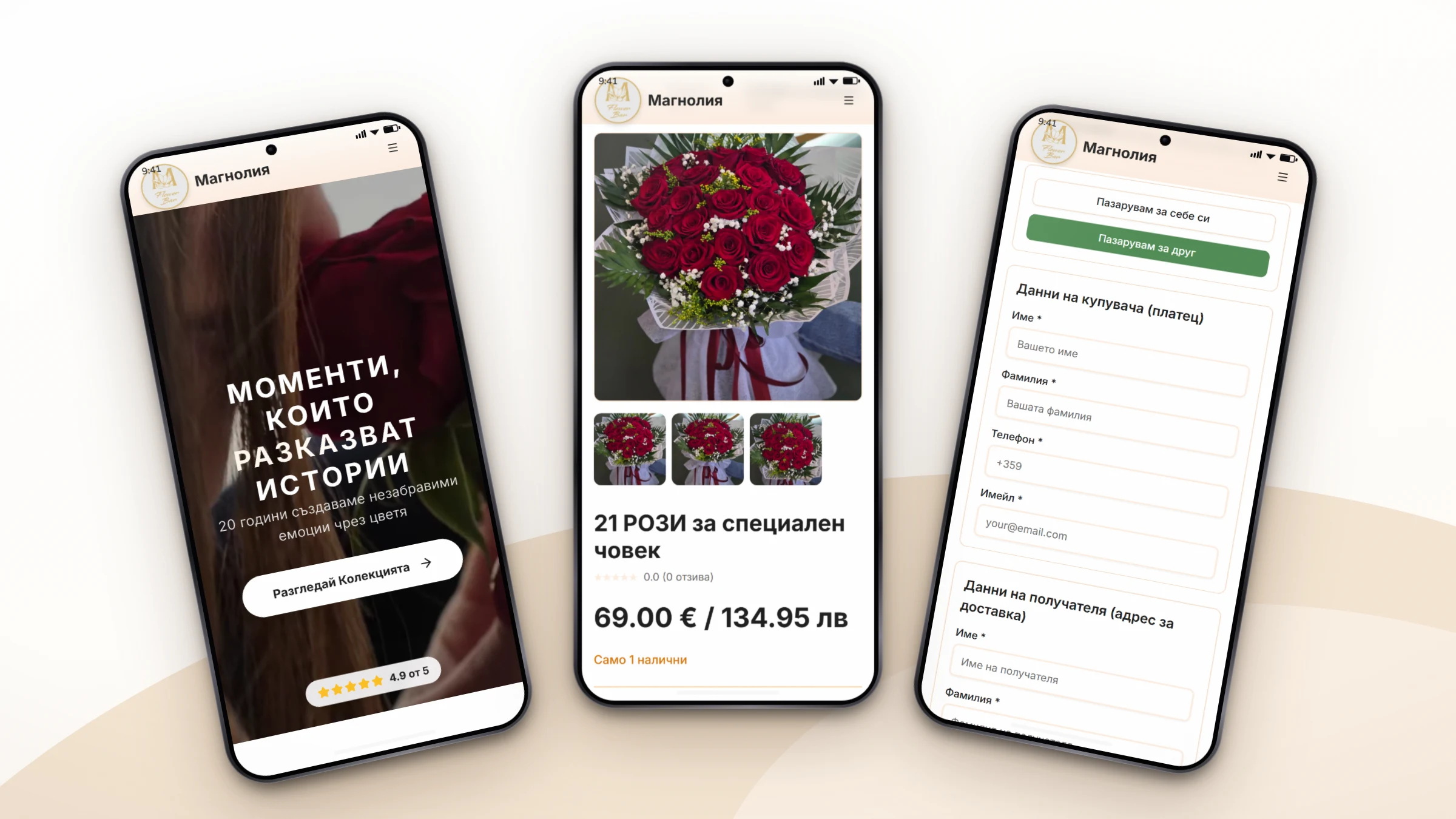
We wrote the brief with the owner.
The owner already knew how the flowers should be grouped, what a gift order needs, and what each category page should say.
Our first job was to write it all down. The owner approved every decision before we built it.
- We started at the counter.
- We worked out what people buy, what for, where it goes, and what the staff need to know the moment an order comes in.
- The phone came first.
- People buy flowers in a hurry, on a small screen. Every layout starts at 375 pixels wide and grows from there.
- We cut the panel down to the jobs the shop does.
- Putting a product up and closing an order take a few steps each.
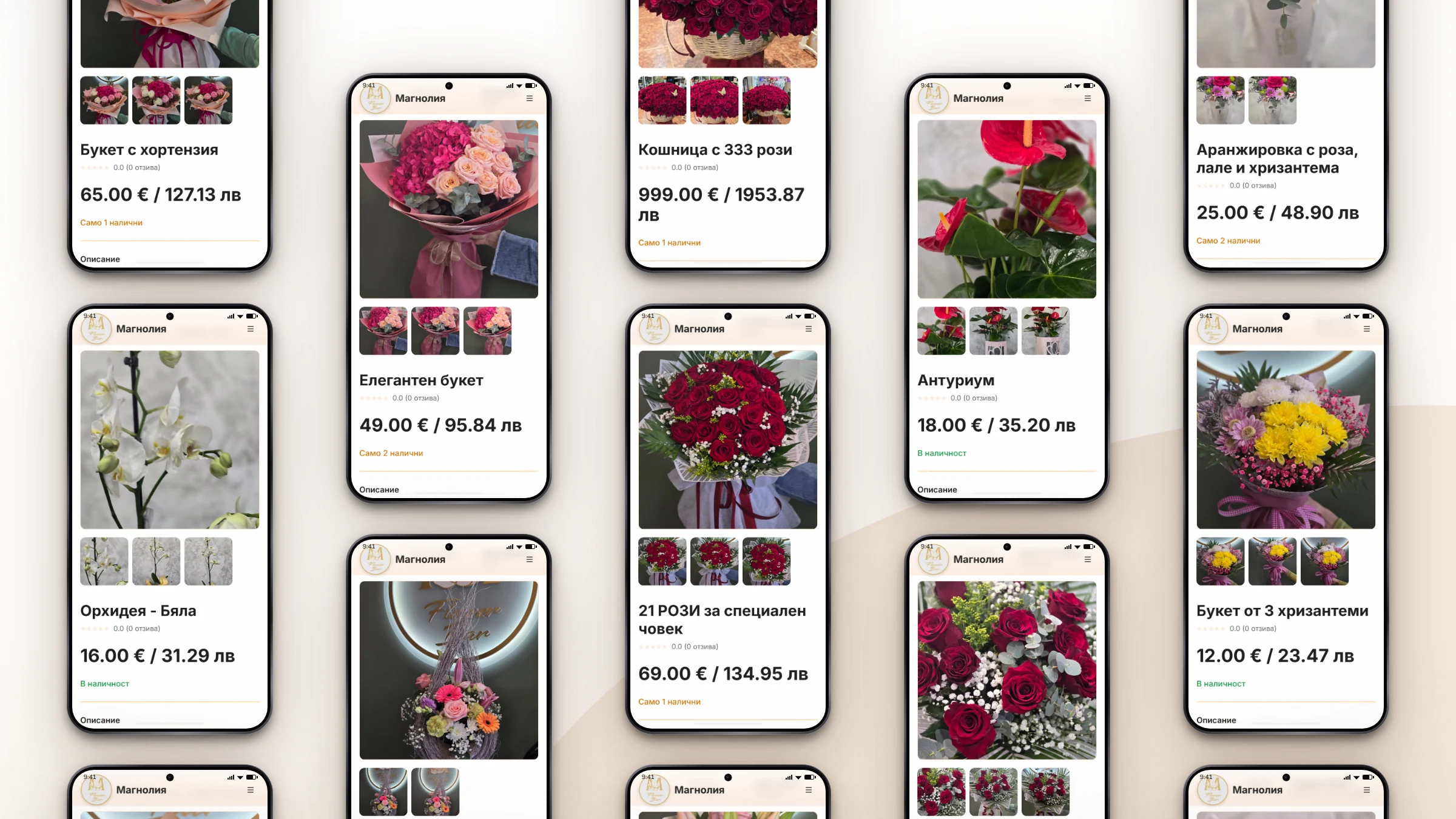
People searching for flowers online find the shop everyone in Samokov already knows.
We built the storefront around the way people ask for flowers in the shop.
- The owner tags a product once, and it shows up under the right category and the right occasion.
- Filters go in the URL. Send someone a filtered page and they see what you saw.
- We put together the category tree and every line of the Bulgarian copy for the owner to approve. We launched the first products with the photos the shop gave us, and showed the owner how to shoot the next ones. The owner has added every new product since then.
Most of these flowers are bought for somebody else.
Someone in Sofia pays. Someone in Samokov gets the flowers. The driver needs the name and phone number of whoever opens the door.
- One toggle switches between buying for yourself and buying for someone else, and the form changes with it.
- Card payments go through myPOS, the Bulgarian provider the shop already uses at the counter. Anyone who’d rather pay in cash pays the driver when the flowers arrive.
- myPOS reports every payment to the shop on its own. The order still comes through if the customer closes the page halfway through paying.
We built the catalogue for the owner to run.
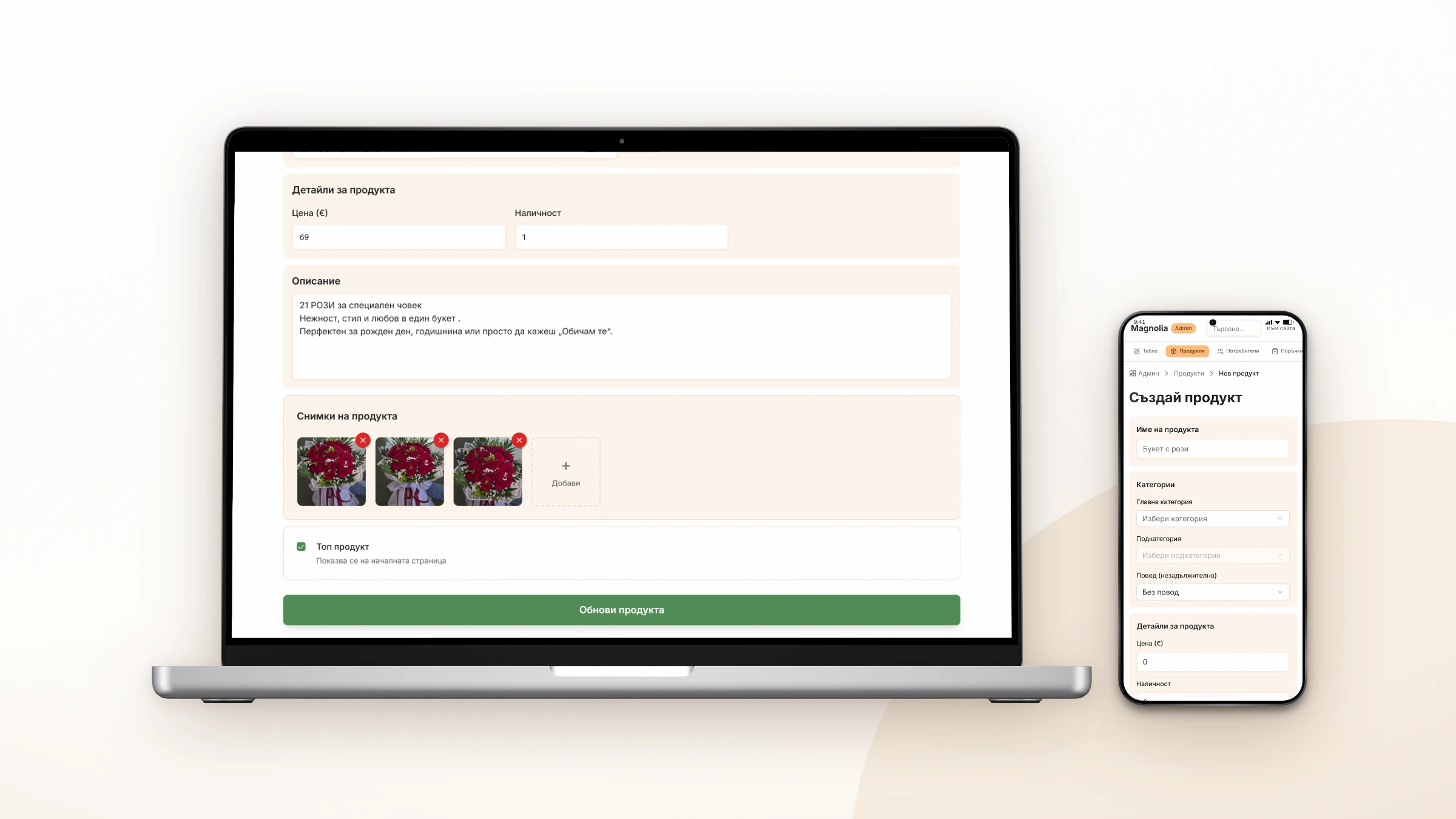
A florist spends the day on the shop floor and hardly ever sits at a desk. So the panel had to work on a phone while the owner stands at the counter with a customer waiting.
- On a phone, each order shows up on its own card that’s easy to read at a glance. Staff can check it between customers without leaving the counter.
- The owner doesn't take sold-out products off the site by hand. They disappear on their own and come back when new stock is added.
- Showing the owner once was enough, because we kept it simple. They’ve run the catalogue themselves ever since.
What the owner does, start to finish.
Putting a bouquet up
- Photograph
- Upload
- Price
- Live
One form holds the name, category, price, description and photos. The pictures come straight off the phone at the counter, and we raised the upload limit to ten megabytes because that’s what a phone camera puts out. We compress each photo on the fly. Customers get a copy measured in kilobytes, and the pages load fast.
Closing an order
- Confirm payment
- Confirm delivery
The delivery button unlocks only after the payment is confirmed, and the owner always knows which step comes next.
The panel where the shop runs its day.
The owner opens the panel between customers. There the owner sees what sold, which orders are waiting to be delivered and which bouquets still need a photo. Nothing has to be counted by hand, because sales are added up on a chart.
It uses the same design as the storefront, and the owner already knows that one. The numbers refresh every time the page loads.
- How is the shop doing this month?
- The owner picks a date range and gets revenue by day, the bouquets selling best, and the money and order count above both.
- Which orders are waiting to be delivered?
- Only today’s. Each one shows when it was placed and who the bouquet is for, because that’s who the driver asks for at the door.
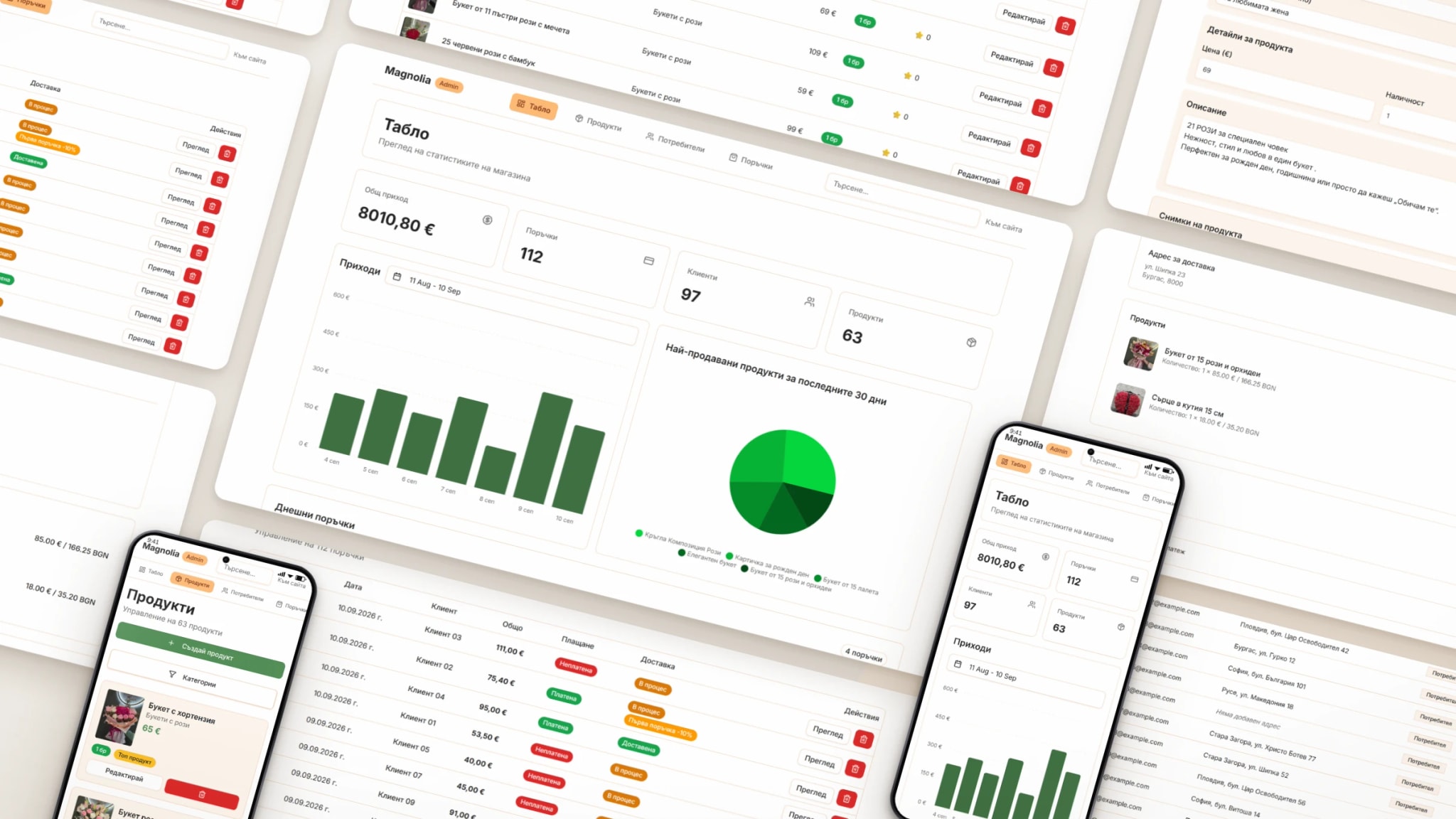
What the shop has now.
- Orders
- BeforeTaken at the counter or over the phone, in shop hours.
- NowPlaced at any hour, with the recipient’s name, phone and address.
- Catalogue
- BeforeLaid out in the shop for customers to pick from.
- NowPhotographed at the counter and put online from the same phone.
- Payment
- BeforeCash, or card on the shop’s myPOS terminal.
- NowThe same myPOS, online, or cash to the driver.
- Reach
- BeforeThe two shops in Samokov.
- NowSamokov, the villages, Borovets, and Sofia by the next day.
- Reviews
- BeforeOn the shop’s Google profile.
- NowOn the homepage too, next to the 4.9.
Google scores the online store 97 out of 100 on a phone.
We ran the store through Lighthouse, the speed test Google builds into Chrome. The test loads the page on a mid-range phone over slow 4G and scores how fast it feels to a visitor.
The store scored 97 for performance, 94 for accessibility, and 100 for best practices and for SEO. The first thing on the page showed up in 1.1 seconds. Nothing on the screen moved while the rest loaded.
Photos usually pull a phone score down, and a florist’s site is mostly photos. Each one the owner uploads gets shrunk before a customer sees it. Speed is one of the things Google weighs when it ranks a site in mobile search.
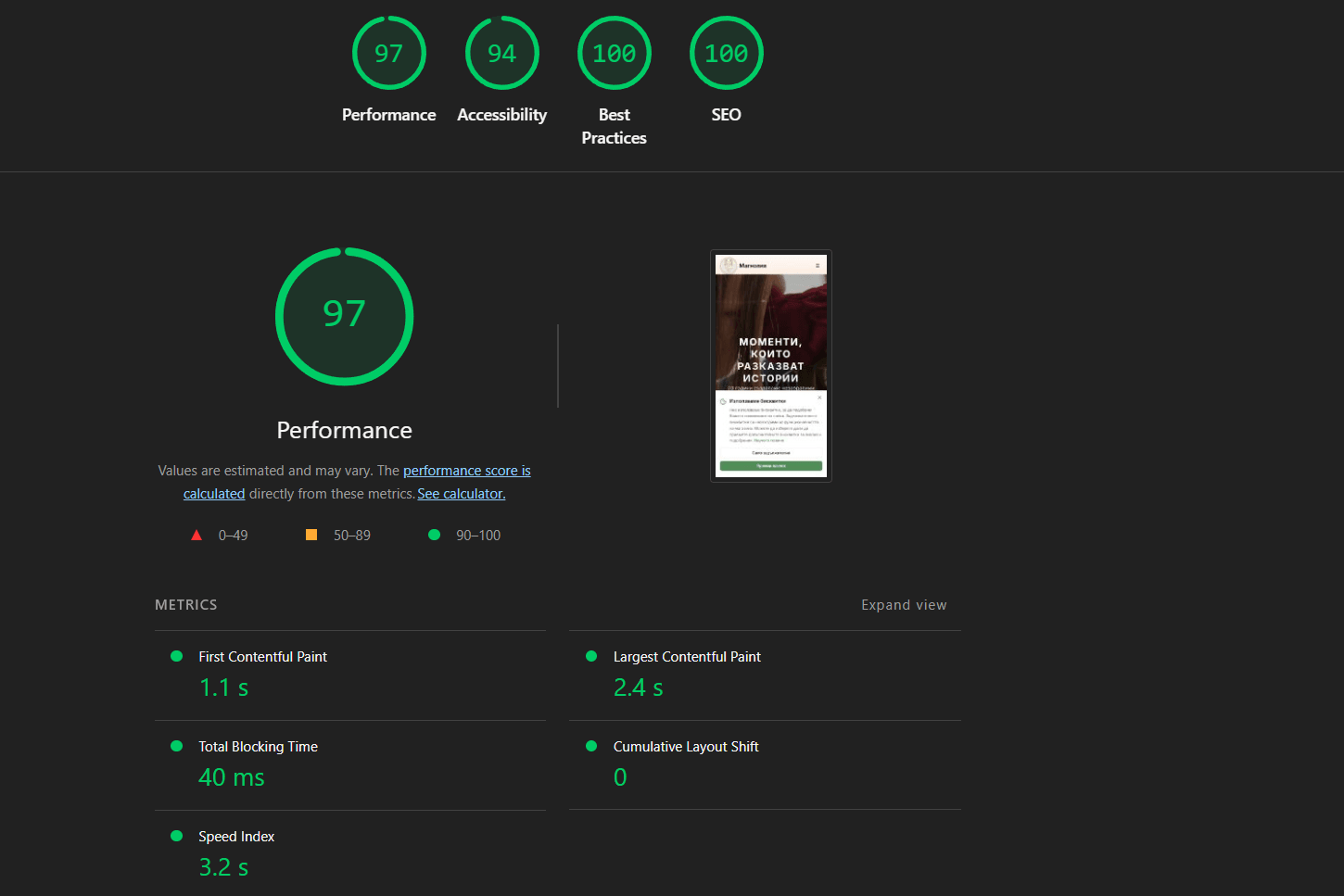
Google Lighthouse, mobile, 20 March 2026.
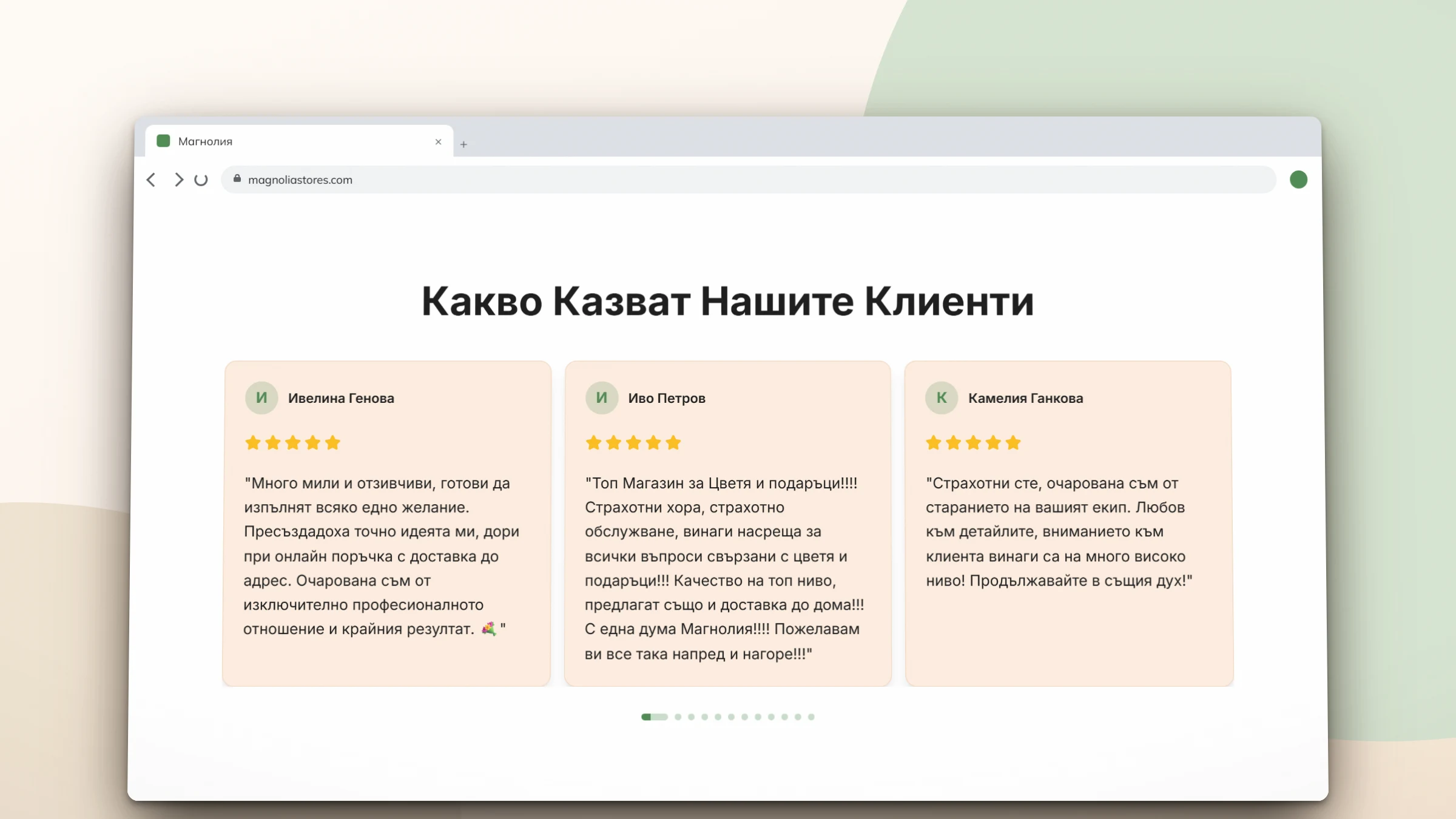
Someone who has never been to the shop can read what its customers say about it.
The homepage shows reviews from the shop’s Google profile, with the names the customers signed them with. The 4.9 sits next to them.
The address
magnoliastores.comThe service
Online store developmentWhat Radoslav said when we asked.
“Really pleasant process from the very beginning to the end. The team was responsive and patient with all my ideas and feedback. The final result was exactly what I imagined. Well organized website that fully reflects my brand. The work went smoothly and without any unnecessary stress. I’d happily work with them again.”
 Radoslav HristovOwner · Flower shopTranslated from Bulgarian