Custom software, wholesale produce
A fruit and vegetable wholesaler that now runs its whole business on one custom ERP.
- Fourteen moduleson one set of documents, from goods in to the shift roster
- A login eachfor the whole staff, with access set by the owner
- Every saletraced back to its lot and its supplier
Fresh produce has to sell before its date runs out.
The wholesaler buys fruit and vegetables from suppliers, stores them in the cold room, and sells them to hotels, greengrocers and its own shops as the orders come in. Every product has an expiry date, and the oldest stock has to go out first.
The business ran on phone orders, supplier delivery notes and a morning check of the cold room. Fifteen people had outgrown that way of working.
Orders got filled, but the owner had no way of telling which lot each one went out on or how much each client was making him.
- Client
- A wholesaler of fruit and vegetables
- Staff
- Fifteen, across the warehouse and the shops
- Buyers
- Hotels, greengrocers and his own shops
- Range
- A hundred-odd produce lines, every one with a date on it
- Scope
- Design and build of fourteen modules, staff logins and roles, invoicing to Bulgarian rules
Fourteen modules, one set of documents
The system covers the whole trade: the truck calendar and goods-in, stock by lot, client orders with the goods allocated to them, invoices and payments, and every client and supplier with their own history. It also runs finance and reports, the crew, the shift roster and the tasks, and the owner decides in the settings which role sees what.
Every module works off the same documents. A delivery booked in on the loading bay feeds the stock figure, the orders, the invoices and the profit on that product, and every screen that uses it updates at once. The owner sees what the business is doing in a few clicks. The staff open it to find what needs doing today, what’s due tomorrow, and what’s on the next truck.
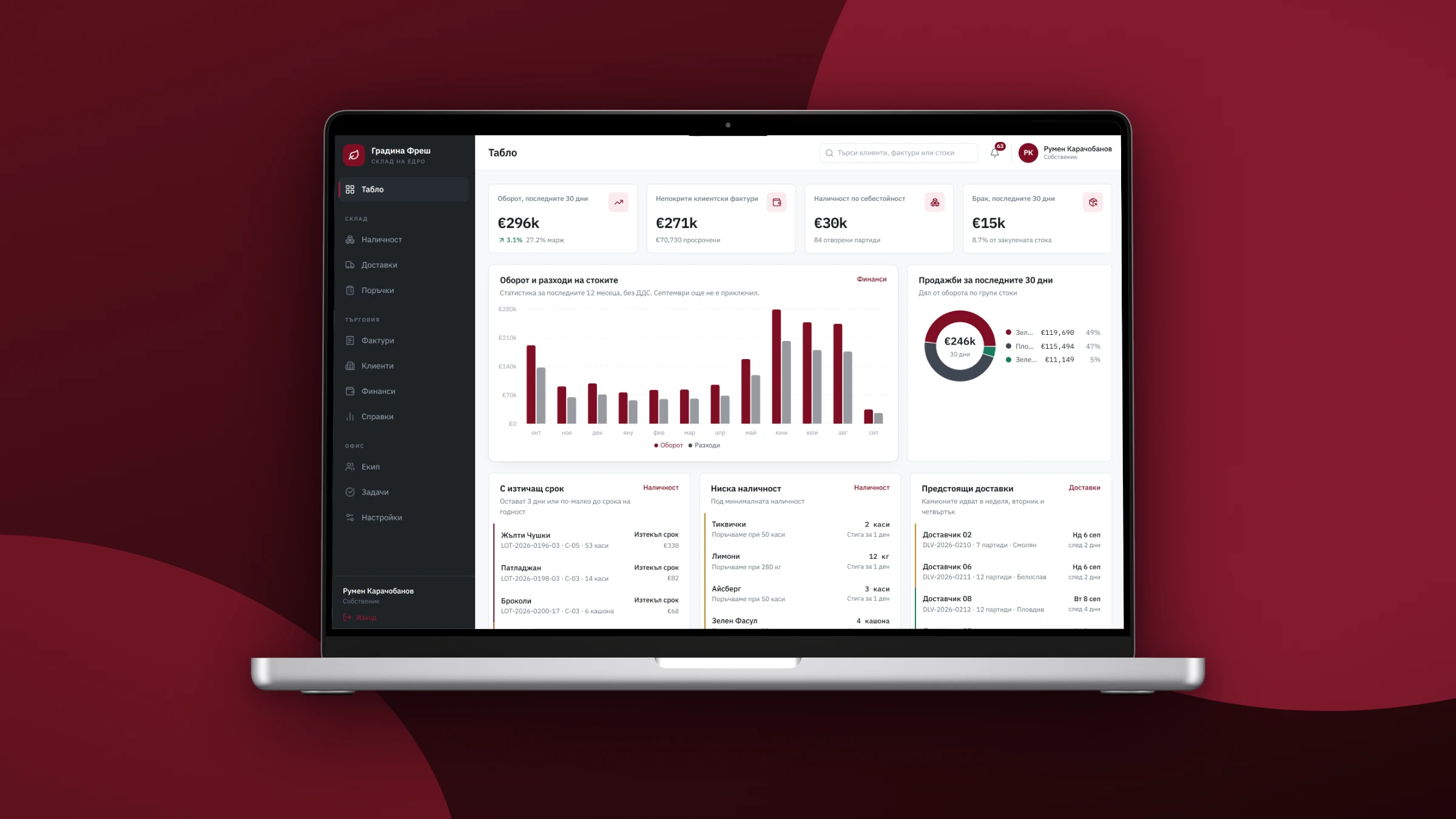
The whole business on one screen
It shows turnover for the last thirty days, what clients owe, stock at cost and what has been written off. Below that it charts the year’s revenue against cost of goods and lists stock near its expiry, stock below its reorder point, and the next trucks due.
The modules run down the left, and the tiles link through to the module behind them.
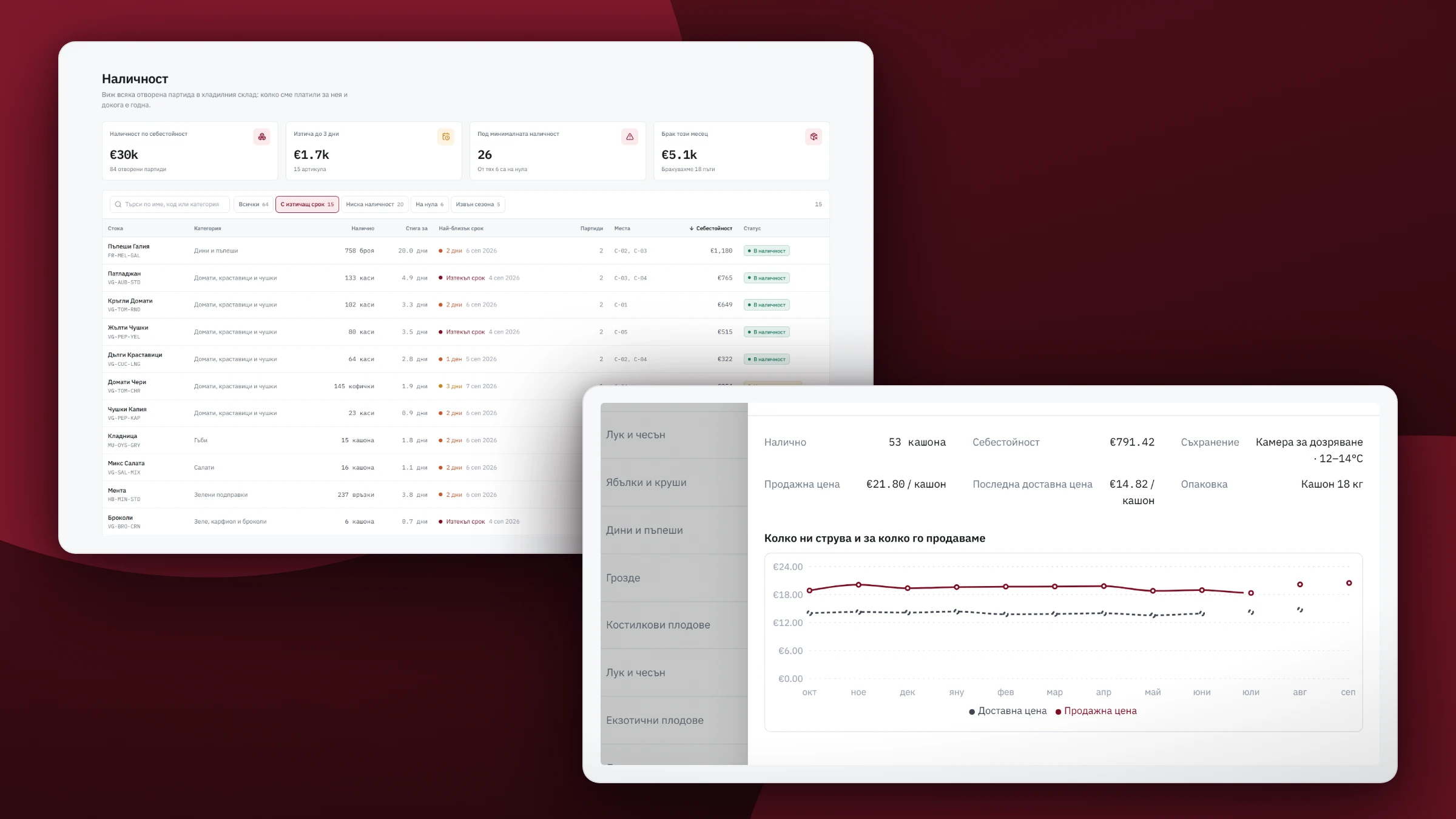
Every lot shows its expiry date
Stock on hand is built from the open lots, and it only changes when a delivery, an order or a write-off moves it. Each line carries what is on hand, what it cost, where it is stored, and how close its oldest lot is to its date.
The staff can tell by color what to deal with first. A lot near its date and an invoice past due are flagged the same way on every screen.
Open a product and you get its lots with their dates, and a year of purchase price against sale price.
Goods in: one action, and everything moves
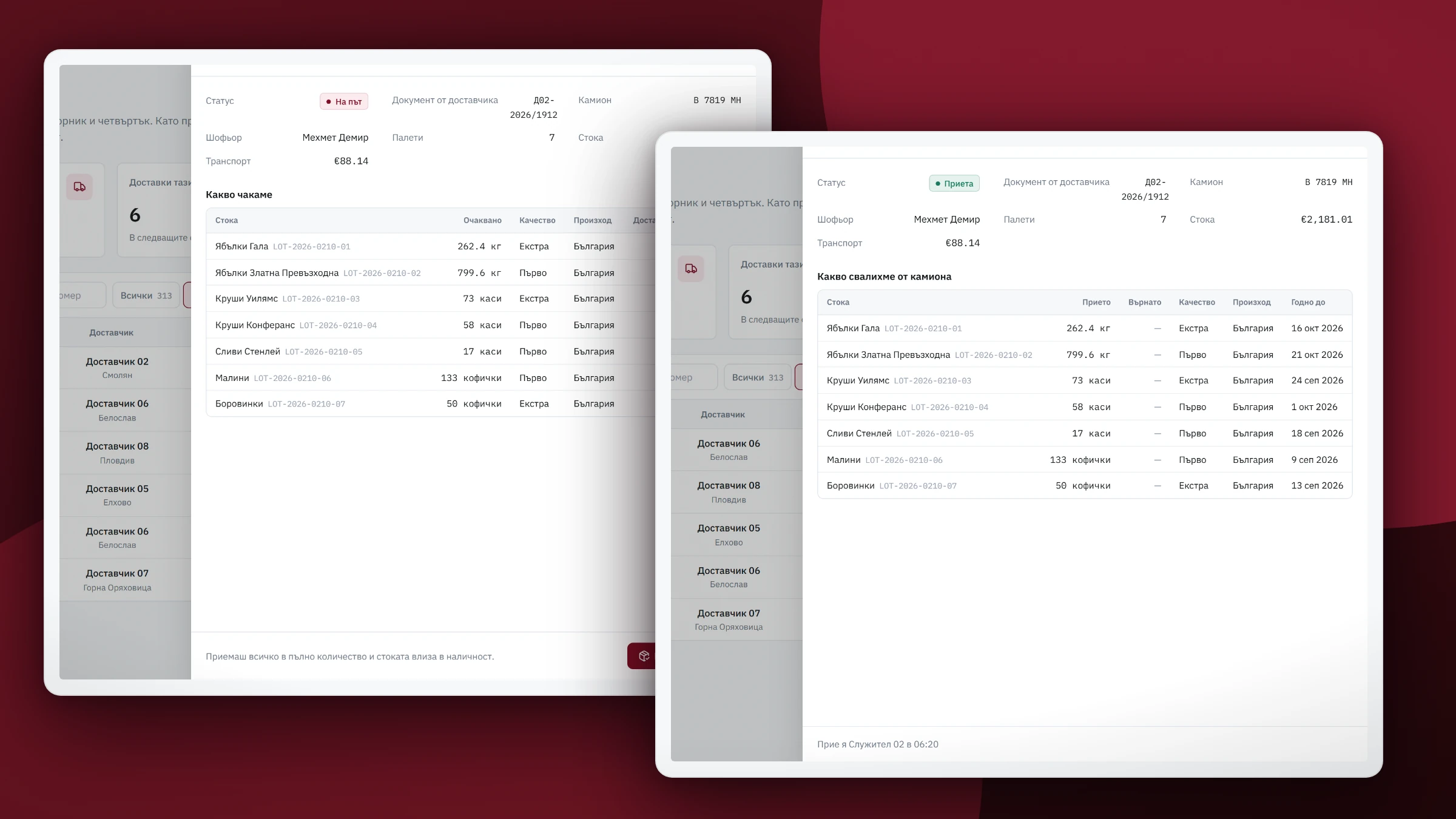
Left, the truck on its way: supplier, document number, plate, driver, pallets, and the lines it is bringing. Right, the same delivery after it’s booked in.
One action does all of it. The checker accepts or rejects each line against a reason, and in a single step the system creates the accepted lots with their expiry dates, records what went back, updates that product’s running cost, and posts the transport cost as an expense.
Stock updates straight away on every screen that uses it, and nobody types the delivery in twice.
The invoice is assembled out of what was delivered
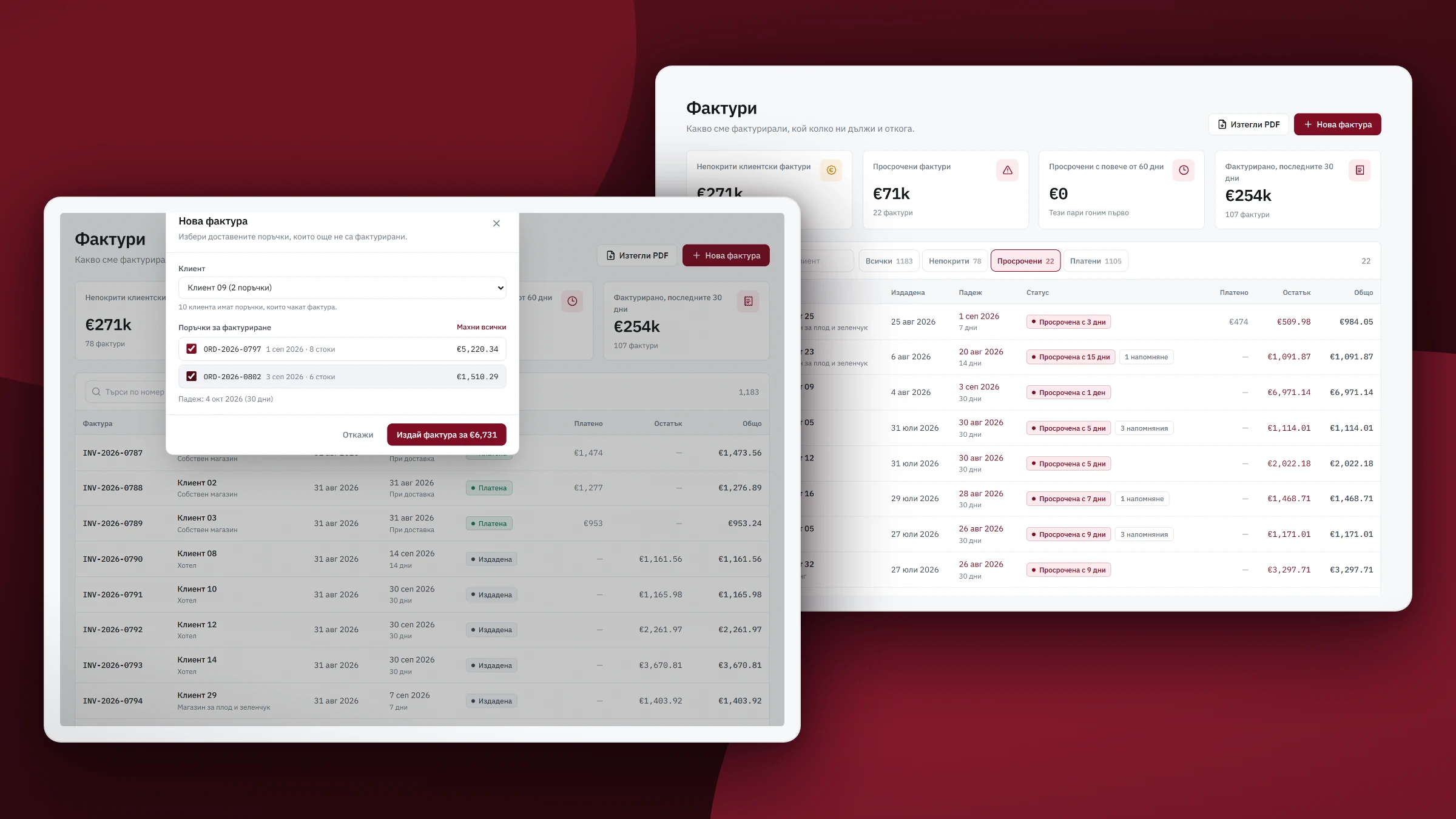
The owner invoices every day or two. He picks a client, and the system offers the delivered orders that haven’t been billed yet. He ticks them, and the invoice is raised with its number, its due date taken from that client’s payment terms, VAT, and a line per product.
The invoice goes overdue on its own after its due date and shows as paid as soon as the payment is recorded.
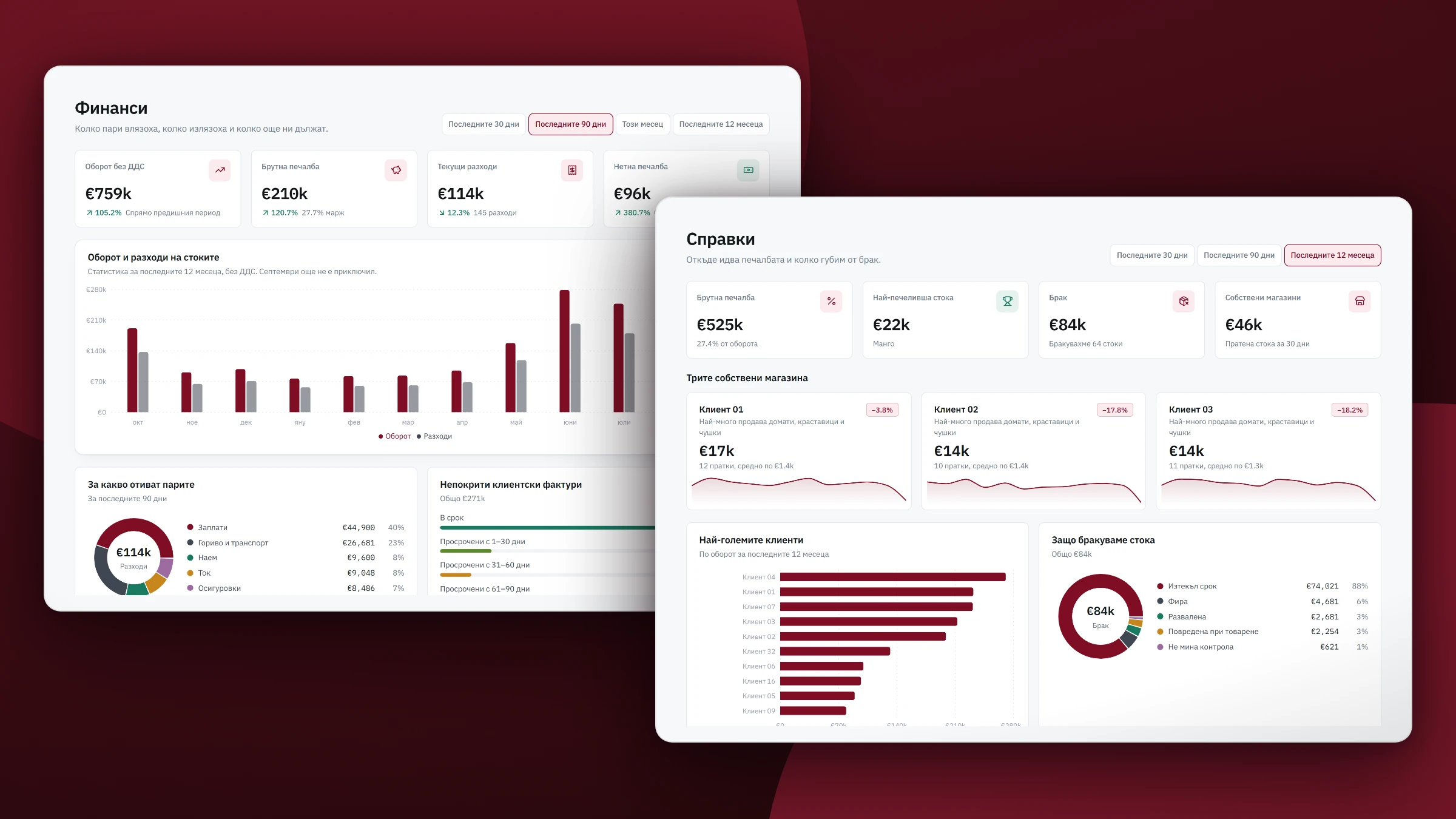
Finance and reports for any period
It shows revenue, gross profit, running costs and what’s left over any period, and where the money goes by category. Receivables sorted by age show which invoices to chase first.
Behind it sit the reports: profit per product, the biggest clients, why stock is being written off, and the owner’s shops side by side.
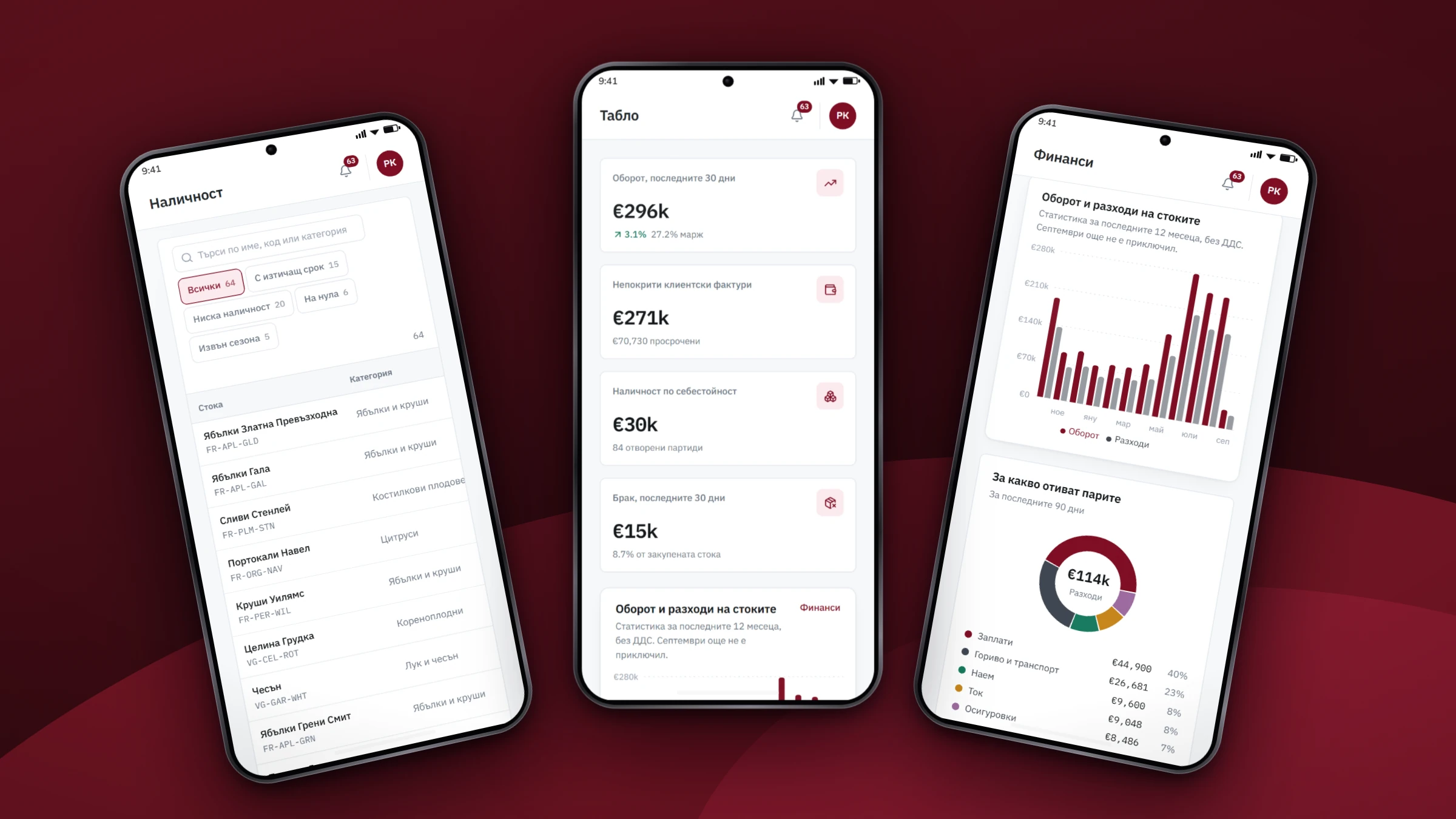
The dashboard works on a phone too
The tables are built for the wide screen in the warehouse office. The dashboard, stock and finance also work on a phone, for the days the owner is away from his desk.
Code any developer can pick up
He owns the code. It’s built with tools developers use every day, because a system the whole business runs on shouldn’t depend on one team.
Everyone on the staff has their own login and sees the part of the system their job needs. The checker on the loading bay doesn’t see the payroll.
The invoices print the way his accountant expects them, and the numbering and VAT follow Bulgarian rules. The whole system is in Bulgarian and in euro.
The screenshots show a sample company.
The owner’s suppliers, clients and margins stay private. Every screen on this page uses a sample company, with numbered clients, suppliers and staff.
The service
Bespoke software development