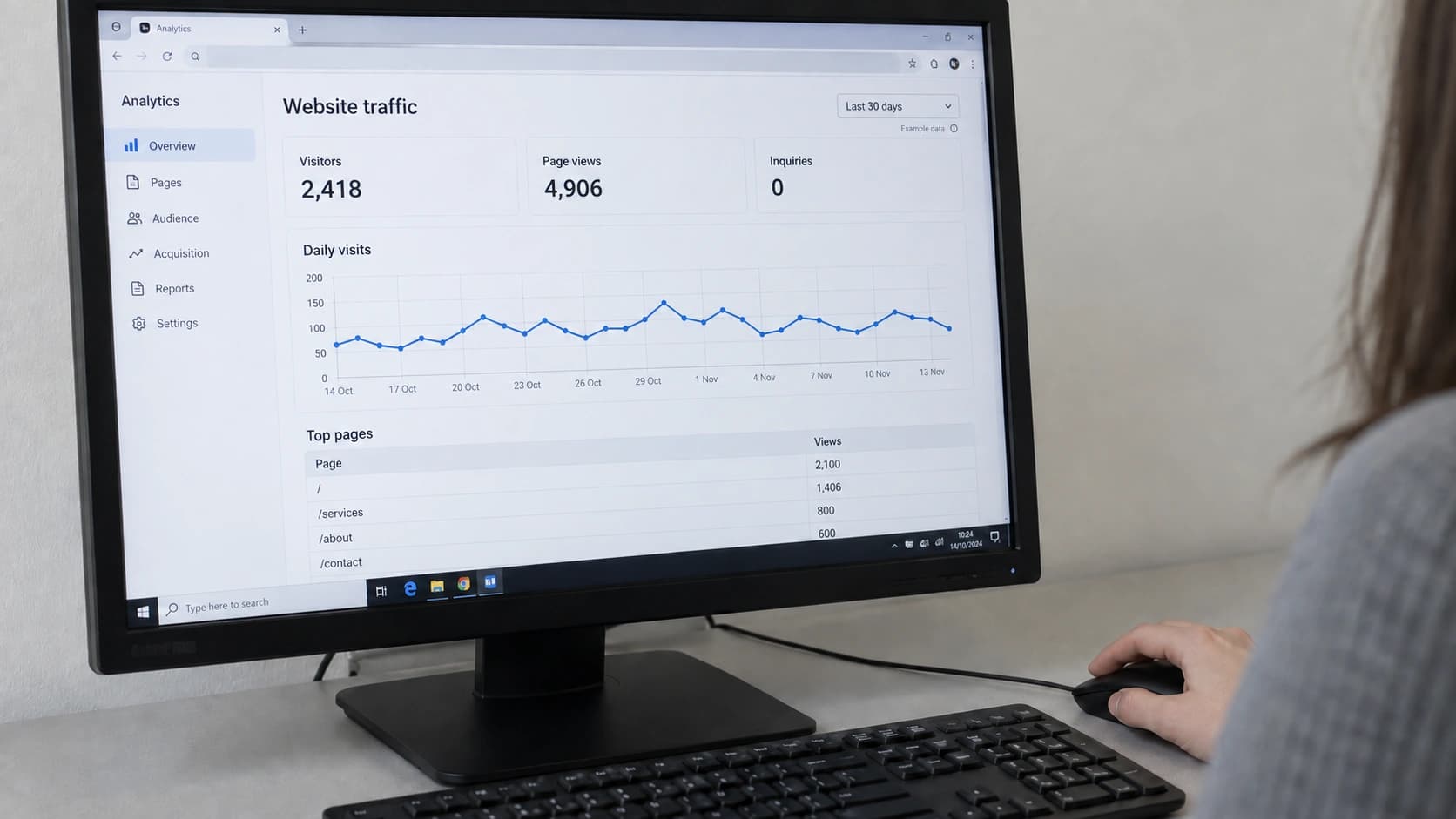
People find your site every day, and the phone stays quiet. Each of those visits cost you something, in ads, in content or in the months it took to rank, and each one left without a word.
When you have website traffic but no leads, it's easy to decide you need more visitors. If the page doesn't change, though, you pay more for people who leave the same way. A website not converting usually has a page problem: the buyer doesn't trust you, can't tell whether the service is for them, feels pushed, or can't see how to get in touch.
There are thousands of reasons a website doesn't convert. These are the ones we see most often, and each one costs a different amount to fix.
Contents
More Traffic Won't Fix a Website Not Converting
Sometimes website traffic but no leads means the wrong people are showing up. Someone searching "how to unblock a drain" wants the answer. Someone searching "emergency plumber near me" wants a plumber on the phone. Both count as a visit.
A hundred visitors with a job to give are worth more than a thousand who came to read. If your busiest pages are how-to articles, or your ads reach people outside your area, the traffic report is flattering you.
The searches that bring people to the site show in Google Search Console, one of the free SEO tools for small business.
The fix starts on the service pages. Each service gets its own page, written for someone ready to hire and named the way buyers search for it. How-to posts can stay if each one ends at the service it describes. When buyers can't find the site at all, the problem is search visibility.
A Page That Looks Cheap Makes the Business Look Risky
A visitor sees the page before reading a word of it. In those first seconds, the layout, the photos and the colors decide whether this looks like a business that shows up on time. A stranger has nothing else to judge by.
In a Stanford study of 2,684 people judging which websites to trust, the design look came up in 46.1% of their comments, more than anything else.
Professional design comes down to choices a buyer feels without naming them:
- One type style for headings and one for text, used the same way on every page.
- Text, photos and buttons lined up on the same grid.
- Two or three colors plus neutrals, picked for the feeling the business should give, never because someone liked the shade.
- Space around each block, so the eye knows where to go next.
- Photos of your own team and work instead of stock.
- Buttons that react, images cropped with care, and a layout that holds up on a phone.
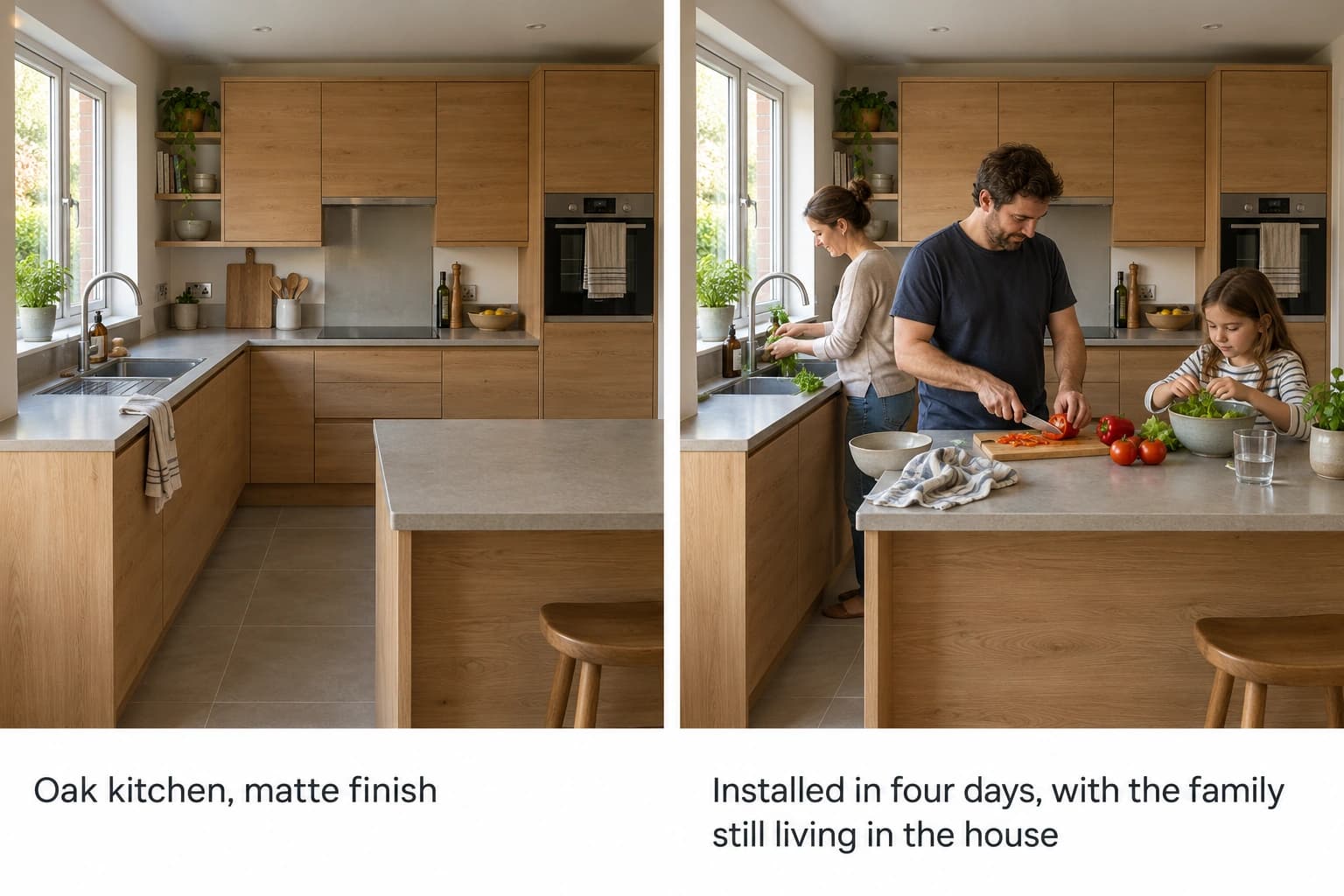
Photos with people's faces in them make a site look more appealing and feel warmer, and both build trust. For a service, a photo of the result does the selling. A family cooking in a new kitchen tells a buyer more than the same kitchen empty and spotless.
The caption does the rest. "Installed in four days, with the family still living in the house" gives a reason to keep reading, while "Oak kitchen, matte finish" describes what anyone can see. If nobody would miss the photo, it's decoration.
Reviews do the same job in words. Buyers trust recent ones more, and praise from years ago reassures fewer people than you'd expect.
When the whole site looks dated, patching single pages costs more than it brings back, and a website redesign is the better spend.
Your Headline Has to Name the Buyer
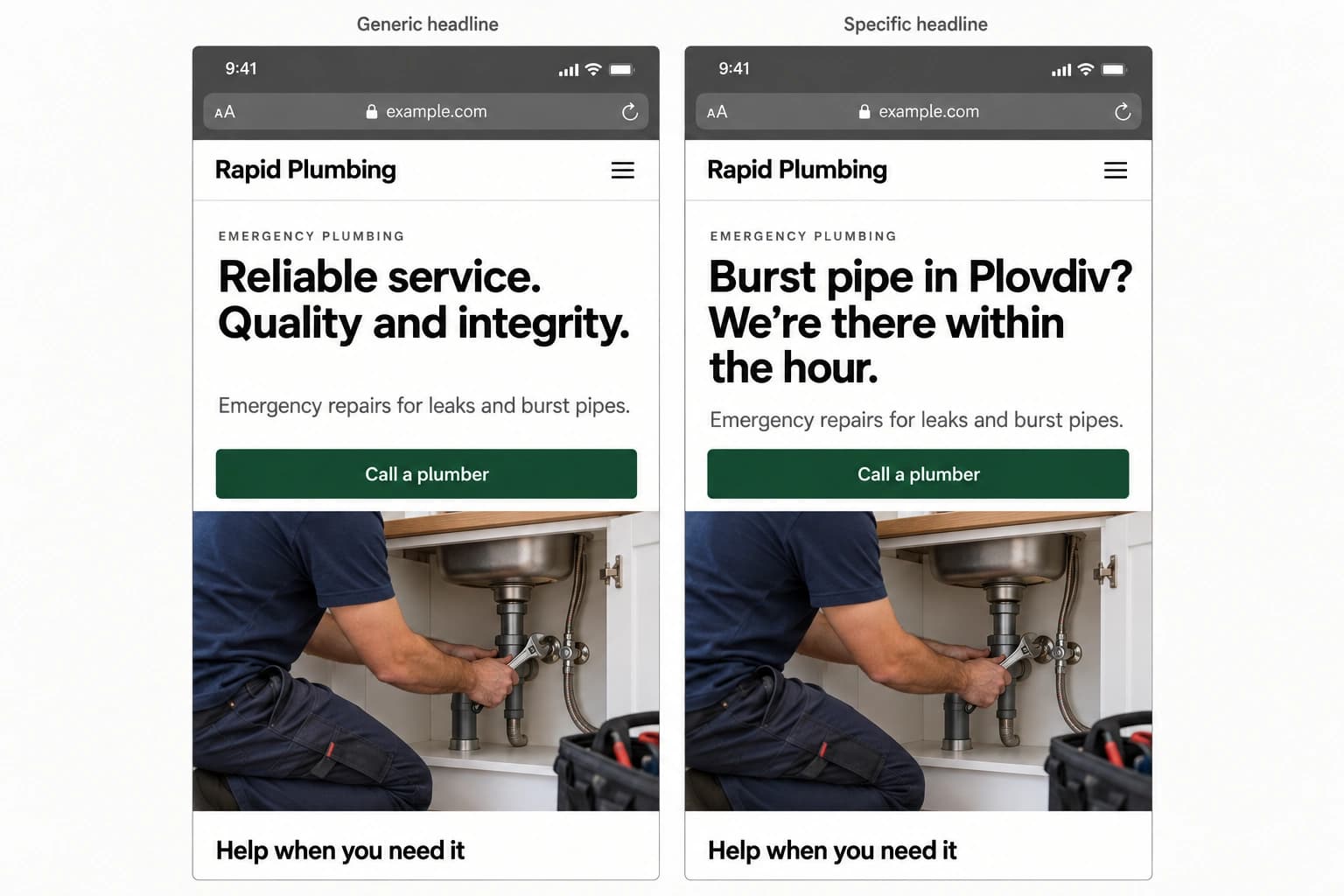
A headline written for everyone attracts browsers. If the same line could sit on a competitor's homepage unchanged, it gives a buyer no reason to stay. An emergency plumber could open with either of these:
- "Reliable service. Quality and integrity."
- "Burst pipe in Plovdiv? We're there within the hour."
The second names the situation, the city and what happens next. It also loses everyone without a burst pipe, and that's what makes it work.
Every feature under the headline needs a second half that says what it does for the reader, backed by a number or a named example. "Fast" sounds like a boast. "Loads in under two seconds on a phone" sounds like someone checked.
Headlines built on curiosity or a discount pull clicks and few calls, because they attract browsers and bargain hunters. Copy is written together with the layout as part of web design, and it's the cheapest leak to fix. Only the words change, and the layout stays as it is.
Pushy Pages Make Buyers Nervous
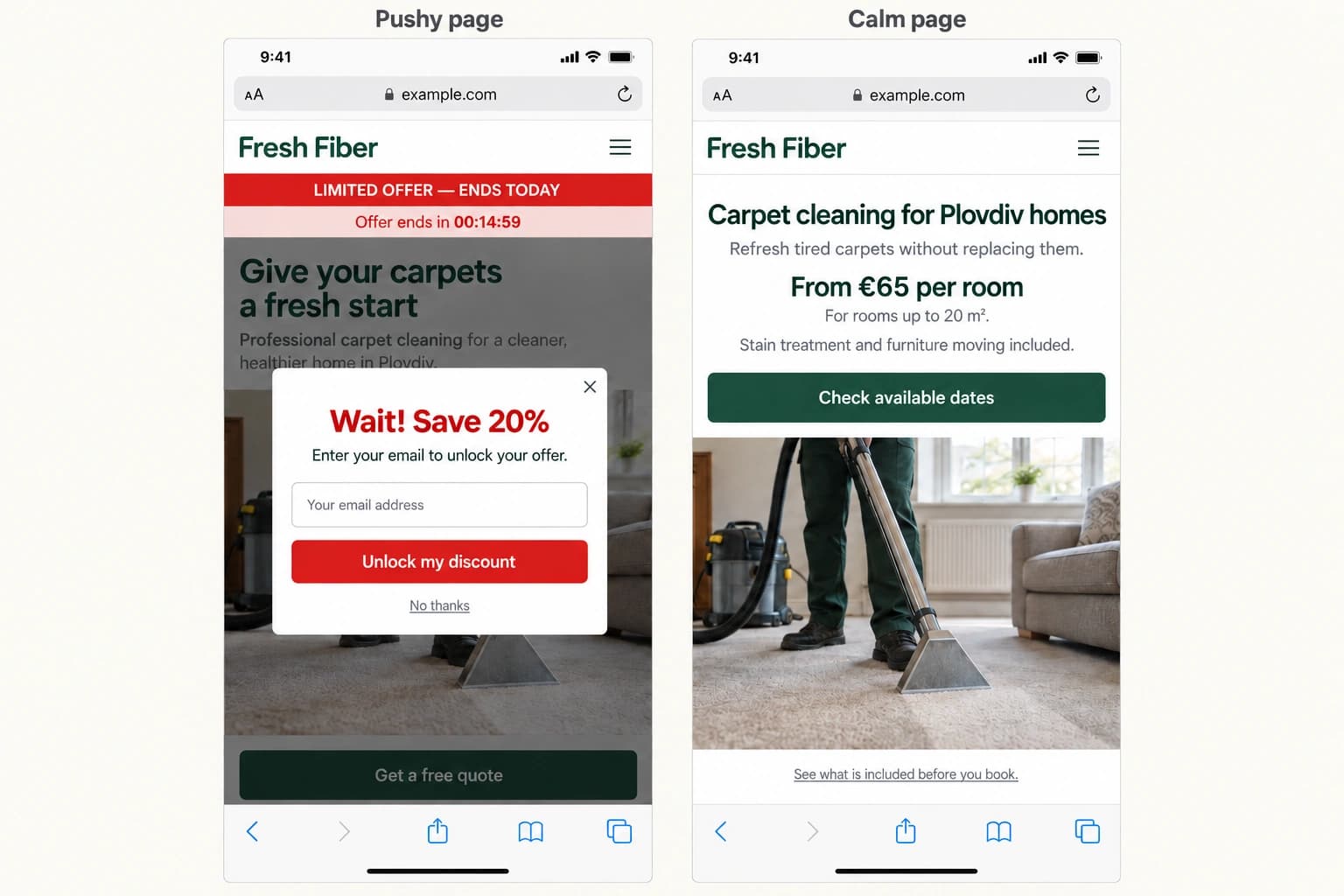
A page that tries too hard to sell puts people on guard. Countdown timers, "limited offer" banners and a pop-up before the first paragraph tell the visitor someone is after their money. A careful buyer starts looking for the catch. Even Google's guidance warns that pop-ups covering the page can frustrate visitors and erode their trust.
A page that calmly says what you do, who it's for and what it costs reads like a recommendation, and that takes away the worry that stops people from calling.
Plenty of pages dodge the price. "Contact us for pricing" leaves the buyer guessing, and in usability studies people leave for a competitor's site when the price is missing. A starting price costs you some messages from people who wanted something cheaper.
The people who still write have seen the number and want to talk. Those are the qualified leads worth calling back, and it's why we put our own prices on our pricing page. A reason to choose you belongs next to the price. Without one, the cheapest quote or the nearest address wins.
The Next Step Should Take One Tap
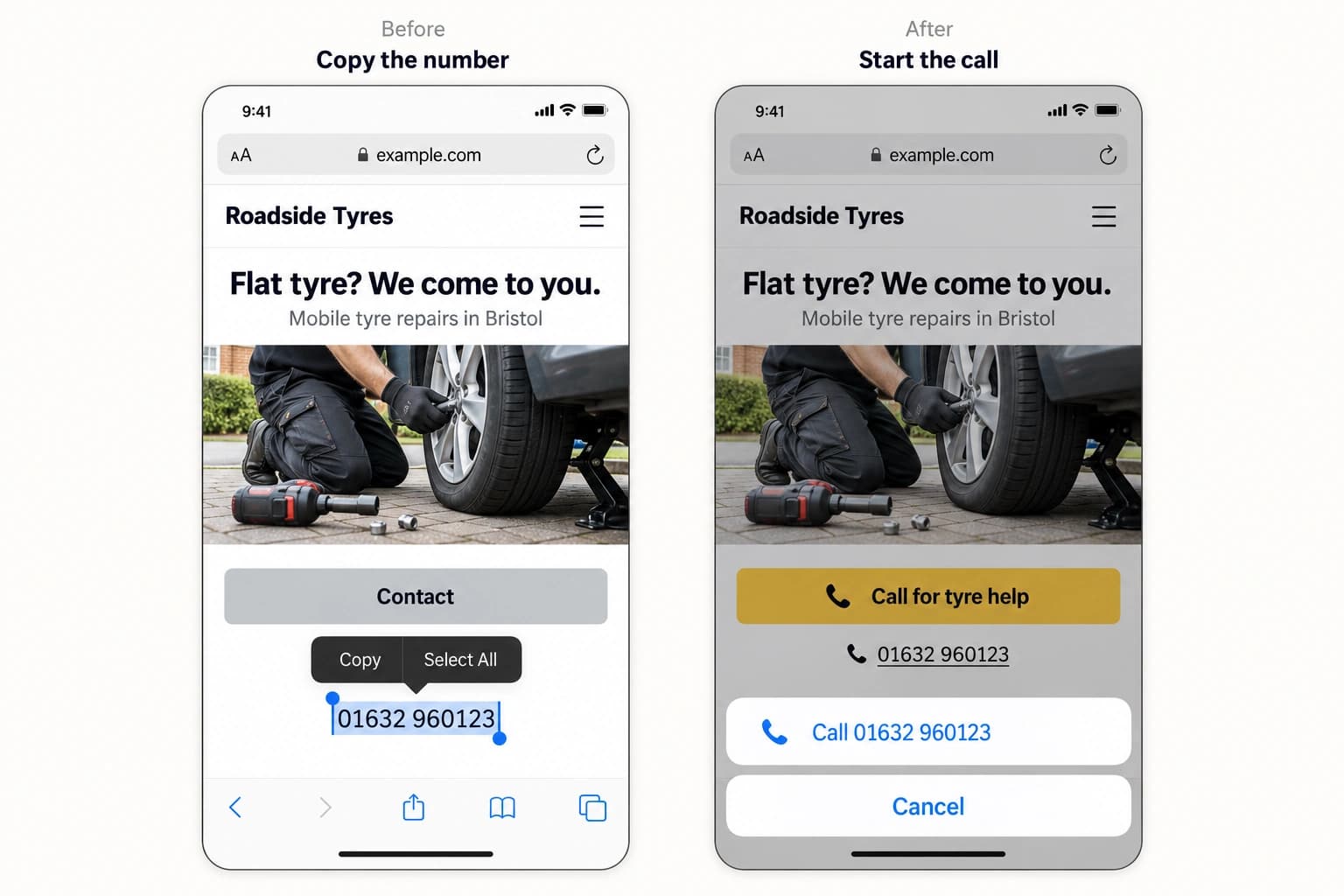
A buyer who has decided needs to see the next step without looking for it. "Get in touch" and "Submit" leave them guessing what happens after the click. "Book a 20-minute call" tells them what they get and how long it takes.
- Before: "Learn more", "Submit", "Contact"
- After: "Get my quote", "Book a 20-minute call", "Call now for a tow"
One main action, worded the same way at the top and bottom of every page, works better than a different button in every section.
On a phone, the number should ring with one tap, and the form should ask only what the first reply needs: a name, a phone number and the job. In checkout research, the number of fields drives how many people give up, more than the number of steps.
Then it's down to how fast you reply. A 2011 Harvard Business Review study found that firms that tried to reach a lead within an hour were nearly seven times as likely to have a meaningful conversation with a decision maker as firms that waited even one hour longer.
Slow pages break this step too. Heavy images, third-party scripts and cheap hosting can keep a page blank long enough for a buyer to give up. In a Deloitte study commissioned by Google, lead generation sites that got 0.1 seconds faster on every page saw 21.6% more visitors reach the form.
Fix a Website Not Converting Before You Pay for More Ads
Website traffic but no leads costs you twice: once to bring the visitors in, and again in the work they took somewhere else. The fixes come in two sizes. Words, buttons, the price line and the form can change within a week on the site you have.
When the leak is the look of the whole site, its speed or how it works on a phone, the fix is a rebuild, and that's worth knowing before the next ad budget goes out.
A sound site with steady traffic needs conversion work on the pages that get traffic but few leads, which is part of our Premium maintenance plan.
Either way, the first job is knowing which pages lose buyers, and that means reading the site the way a stranger with a job to give would.
Frequently Asked Questions
Website traffic but no leads traces back to one of four places. The visitors came to learn instead of hire, the page looks like a risk, the copy and price give a buyer no reason to choose you, or the next step takes too much effort.
Ruler Analytics found an average of 5.13% across more than 5 million conversions in 13 industries, counting forms and phone calls, with industries ranging from 1.9% to 7.9%. Your own trend matters more: after each fix, leads per 100 visits should rise.
Not always. Copy, buttons, the price and the form can change on the current site within a week. A rebuild makes sense when the design itself puts buyers off, when the site is slow because of how it's built, or when nobody can edit the pages. Our process page shows how we scope one.
The website comes first. More visitors on a website not converting cost more for the same result. Once the page brings in leads, extra traffic is worth paying for.